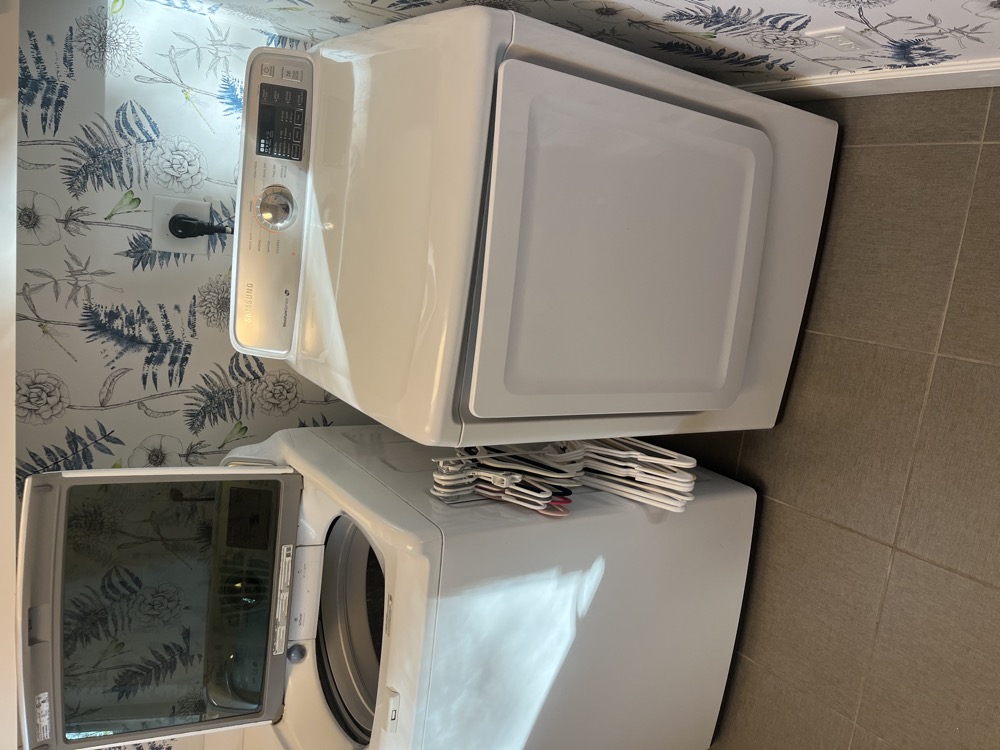
Why is my Samsung dryer not heating?
Samsung dryers are a top brand in Tampa Bay homes -- and "Samsung dryer not heating" is one of the highest-volume appliance repair searches in the residential niche. After 20 years on the bench, the calls break down consistently. When a Samsung dryer stops heating, the cause is almost always one of these seven things:
- HE error code (heater error) -- Samsung's diagnostic flag for heating failure
- Heating element burned out (electric models)
- Thermal fuse blown -- safety shutdown protecting against overheat
- Thermistor (temperature sensor) failed
- Gas valve coils failed (gas Samsung dryers)
- Igniter failed (gas models)
- Clogged vent (Tampa-specific issue with lint plus humidity)
Perfect Appliance Repair Tampa fixes Samsung dryer heating issues weekly -- Samsung DV series is one of the highest-volume repair calls. Most fixes finish same-day.
Samsung dryer HE error and heating failure patterns
HE / HE3 / HE4 error codes
Samsung's HE error series flags heater-related failures. HE typically means a heating element issue on electric dryers or a gas valve issue on gas dryers. HE3 and HE4 flag specific thermal sensor faults. The dryer detects that temperature isn't reaching setpoint and shuts down heating to protect the unit.
Heating element burned out (electric Samsung DV)
Samsung electric dryers use a coiled heating element that burns out over years. Symptom: dryer runs but no heat, no error code initially (or HE after a few cycles), clothes stay damp. The element is a mechanical part that comes out once the back panel is off, usually inside an hour.
Thermal fuse blown
Safety fuse on the blower housing or heater. Blows when temperature exceeds safe limit -- usually triggered by a clogged vent (Tampa's number one cause) or a failed thermistor. Symptom: dryer runs but no heat. The fuse is one of the cheapest parts in the machine, but the underlying cause (vent clog or thermistor) must be fixed too or the new fuse blows immediately.
Gas valve coils failed (gas Samsung)
Gas dryers use solenoid coils on the gas valve. When one or both coils fail, gas doesn't ignite. Symptom: igniter glows briefly then shuts off without flame. The coils come as a matched pair and are changed together, and gas work is done by a licensed technician.
Vent clog -- Tampa-specific issue
Florida humidity plus lint accumulation in dryer vent ducts means clogs build up faster than in dry climates. A clogged vent causes overheat and thermal fuse failure. Annual vent cleaning is critical in Tampa. It is priced as its own line on the quote, and how much depends on the length of the duct run.
There Is No Reset Button on a Samsung Dryer
One of the most-searched Samsung dryer questions is where the reset button is. The honest answer: Samsung dryers don't have one. Nothing on the machine — not behind the lint screen, not on the back panel — resets the heating circuit. What people call a "reset" is a power cycle: unplug the dryer (or flip its breaker fully off), wait about 60 seconds for the control board to discharge, and restore power. That clears a hung control board, and it is always worth doing once. But if the dryer still runs cold after a power cycle, a component has failed — the thermal cutoff is a one-shot part that physically blows and must be replaced, not reset. Anyone selling you a "reset service" for a Samsung dryer is selling you a wall plug.
Run Samsung's Built-In Vent Blockage Test
Most Samsung DV-series dryers have a self-test almost nobody knows about. With the dryer on but idle, press and hold Adjust Time Up and Dry Level together for a few seconds (on some models the combination differs slightly — check your manual under "Vent Blockage Test"). The display shows InS and the dryer runs a roughly two-minute airflow check on an empty drum. A 0 or C0-range result means airflow is fine; C8 or C9 means the duct is badly restricted — about 80 to 90 percent blocked. That matters because a choked vent is the number-one reason Samsung thermal cutoffs blow in Tampa: our humidity makes lint paste itself to duct walls, and a restricted duct cooks the heater box until the safety opens. Run this test before buying any part, and again after a vent cleaning to confirm the fix.
The Half-Tripped Breaker: the Free Fix
Electric Samsung dryers run on a 240V circuit made of two 120V legs. The motor and electronics only need one leg; the heating element needs both. When one leg of the double-pole breaker trips — common in Tampa Bay panels after summer lightning storms — the dryer spins, lights up and sounds perfectly normal, but dries nothing. The breaker handle can sit in a half-tripped position that looks "on." Before anything else: flip the dryer breaker fully OFF, then fully ON. Samsung's own service literature points here first, and it costs nothing to check. If the breaker re-trips, call an electrician, not an appliance tech — something is shorting.
Samsung Dryer Heating Parts and Real Prices
Samsung heating parts are inexpensive; what you pay for in a repair is the correct diagnosis and the labor of getting to them (the element hides behind the whole back of the machine, and on front-loaders there is real disassembly involved). Typical OEM list prices: heating element DC47-00019A about $93, element assembly DC96-00887C about $57, thermal cutoff kit DC47-00016A about $28, thermistor DC32-00007A about $37. Beware $25 to $35 aftermarket elements from marketplaces: technicians report they often run hotter than spec, trip the new thermal cutoff, and in some cases burn wiring harnesses — and no shop will warranty one. We install OEM parts and back the work with a 90-day labor warranty.
How to fix a Samsung dryer not heating
- Note the error code. HE, HE3, HE4 on the display — write it down before clearing anything.
- Flip the breaker fully off, then on (electric models). A half-tripped double-pole breaker is the most common "repair" that costs nothing. If the dryer now heats, you're done.
- Power cycle. Unplug for 60 seconds, plug back in. This is the only "reset" a Samsung dryer has.
- Run the Vent Blockage Test. Hold Adjust Time Up + Dry Level until InS appears and let the two-minute test run. C8 or C9 means clean the duct before touching any part.
- Check the vent physically. Pull the dryer forward, disconnect the hose, and run a cycle — strong airflow from the back means the duct itself is clear; weak flow means a clog in the duct or the outside wall cap.
- Verify gas supply (gas models). Confirm the valve at the dryer connection is fully open.
- Run Smart Diagnosis via SmartThings. If the dryer is connected, this can identify the failure remotely.
- Test heat on a short cycle. Run a 5-minute timed dry and feel the air at the vent — it should be hot within 2 to 3 minutes.
When to call a Samsung repair tech
If basic troubleshooting doesn't restore heat, the heating element, thermal fuse, thermistor, gas valve, or igniter has failed. All require multimeter diagnosis to confirm before parts replacement. Replacing a thermal fuse without fixing the underlying vent clog or thermistor failure means the new fuse blows within days.
What moves the price on a Samsung dryer heating repair in Tampa: the thermal fuse and the thermistor are the cheapest parts on the list; the heating element and the igniter sit in the middle; gas valve coils are the most involved, because that is gas work and takes a licensed technician. Vent cleaning is priced on top, by the length of the duct run. All of it lands on one written quote before any work starts.
Samsung dryers hold up through year 8 to 10. Heating issues are usually worth repairing -- an element replacement on a 5 to 7 year old Samsung is a single part, and a clear win over buying a new machine. Put the written repair price next to a current price tag and the choice makes itself.
If you'd rather skip the troubleshooting, here's what a visit costs: $69 diagnostic, 100% applied to your repair if you approve the work. No fix, no fee. That is our guarantee. For broader Samsung service, see Samsung appliance repair Tampa. For the generic guide, see dryer not heating -- causes and fixes.
What the Repair Community Says: the $625 Quote Story
A thread with over a hundred comments on r/appliancerepair — "I was just quoted $625 to repair the heating element on my Samsung dryer" — is worth reading before you approve any dryer quote. The short version: a homeowner was quoted $625 for a Samsung element job when a brand-new dryer of the same model cost $650. Working technicians in the comments called it out — several quoted their own flat rates of $185 to $300 for exactly that repair, parts included. The quote wasn't pure invention (the tech had priced a complete OEM heater assembly at $229 to $335, not a bare element), but the total still made no sense next to the price of a new machine.
Two lessons from that thread match how we run Perfect Appliance Repair Tampa. First, a written price before work starts is the whole game — the homeowner only realized the problem after googling averages at the kitchen table. You get our number in writing, on the spot, before we touch a screw, and the $69 diagnostic is applied to the repair when you approve it. Second, when a repair genuinely approaches replacement cost, the honest move — said outright by a 20-plus-year tech in that same thread — is to tell you to buy new and discount the trip, not to write the big ticket anyway. That is exactly what we do, and it is why the thread's angriest comments are about shops that don't.
Samsung Dryer No-Heat FAQ
Where is the reset button on my Samsung dryer?
There isn't one — on any model. The only "reset" is a power cycle: unplug (or flip the breaker fully off), wait 60 seconds, restore power. If the dryer still won't heat afterward, a part has failed and needs testing, not resetting.
Why does my Samsung dryer run but not heat?
In order of likelihood: a half-tripped 240V breaker, a blown thermal cutoff caused by a clogged vent, a burned-out heating element, a failed thermistor, or on gas models the valve coils or igniter. The breaker check and the built-in Vent Blockage Test cost nothing and rule out the first two causes in ten minutes.
What does the InS / C8 / C9 code mean?
Those are Vent Blockage Test results, not faults in the machine. InS means the test is running; C8 or C9 means the exhaust duct is roughly 80 to 90 percent blocked. Clean the vent run and the outside cap, then re-run the test — heating parts usually survive once airflow is restored.
How much should a Samsung dryer heating repair cost?
Working technicians quote flat rates around $185 to $300 for an element job, parts included — and national averages for dryer repair run $100 to $300. If a quote lands near the price of a new machine, get a second opinion. We put the exact price in writing before starting; the $69 diagnostic applies to the repair.
Are cheap aftermarket heating elements okay?
Technicians consistently advise against them: the bargain elements can run hotter than spec, blow the new thermal cutoff, and in the worst cases damage wiring. OEM elements cost about $93 list for most DV models and are what a warranty-backed repair uses.
Related services
Book same-day service or read more about the exact repair:
Call or text (813) 522-0014 or book online — Perfect Appliance Repair Tampa covers Tampa, South Tampa, Wesley Chapel, Zephyrhills, Dade City, and surrounding Tampa Bay.
Anatoli Didenco is the owner-technician of Perfect Appliance Repair Tampa, with 20+ years of hands-on technical experience in refrigeration and appliance repair across Hillsborough, Pinellas, and Pasco Counties. He specializes in refrigerators — particularly Sub-Zero, Wolf, and premium built-in systems — and sealed-system and compressor work. He personally answers the phone and shows up at the door. Read more on the About page.
Perfect Appliance Repair Tampa serves Tampa, South Tampa, Wesley Chapel, Zephyrhills, Dade City, and the surrounding Tampa Bay area. Reviews are available on the company’s Google Business Profile and BBB listing.
We Stand Behind Our Work.