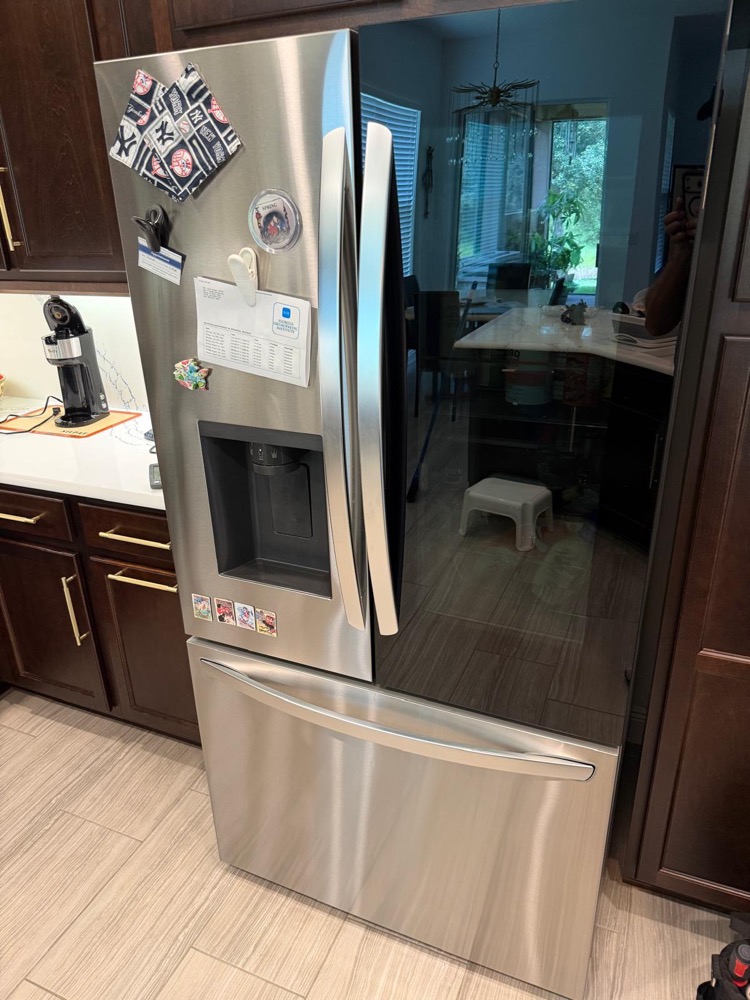
Why is my Samsung refrigerator not cooling?
Samsung French door refrigerators have a few specific cooling failure patterns that differ from other brands. After 20+ years on the bench, here's what Samsung not-cooling calls come down to: seven root causes account for nearly every case.
- Ice maker enclosure frosting over and blocking the evaporator fan (the known Samsung issue)
- Twin Cooling Plus system fan or sensor failure
- Defrost system stuck -- defrost heater or sensor failed
- Evaporator coil iced over from refrigerant or airflow issue
- Condenser coil and condenser fan motor (back-of-fridge condenser)
- Control board fault (Samsung control boards are a documented weak point)
- Door seal failure or door sensor stuck -- fridge thinks door is open
Samsung French door fridges from 2011 to 2020 are notorious for ice maker enclosure freeze-up causing cooling problems -- see Samsung ice maker not working for the forced defrost procedure that sometimes solves both issues at once. Perfect Appliance Repair Tampa sees Samsung cooling calls weekly across Tampa Bay.
Type the model number from the sticker on the left interior wall (e.g. RF263BEAESR) and we'll tell you which cooling pattern your Samsung belongs to.
Works offline in your browser — nothing is sent anywhere. Can't find the sticker? Text a photo to (813) 522-0014.
Common Samsung refrigerator cooling failure patterns
Ice maker enclosure freeze-up
Samsung French door fridges (RF and RS series 2011 to 2020) have an ice maker housed in the fresh food compartment with a sealed enclosure. When the seal degrades, humid air leaks in, condenses on the cold ice maker, and freezes into a block. The block grows until it blocks the evaporator fan or air ducts behind the ice maker, and the fresh food side stops cooling. This is the top Samsung cooling call. Forced defrost (Freezer + Lighting buttons held 8 to 10 seconds, then Freezer to "Fd") melts the ice short-term. Long-term fix is seal replacement or full ice maker assembly swap.
Twin Cooling Plus system failure
Samsung's Twin Cooling Plus uses separate evaporators for the fridge and freezer with independent fan motors. When the fridge-side evaporator fan or sensor fails, the freezer keeps working but the fridge warms up. Symptoms: freezer cold, fridge warm, ice maker still producing. The fan motor is a one-part job: it sits behind the fridge-side evaporator panel and comes out in under an hour.
Defrost system stuck
Samsung defrost system has a defrost heater, defrost sensor (bi-metal thermostat or thermistor), and software-controlled defrost cycle. When any component fails, ice builds on the evaporator and air circulation stops. Samsung defrost faults often produce error codes -- check the Family Hub display or SmartThings app first.
Condenser coil and condenser fan (back of fridge)
Samsung condensers are at the back of the fridge, not underneath. Dust and pet hair accumulate over years. Combined with Tampa's heat, fouled condenser coils make the compressor overheat and shut down. Cleaning takes 10 minutes; doing it once a year is critical in Florida.
Control board failure
Samsung control boards (main PCB) are a documented weak point. When they fail, cooling commands don't reach compressor and fans correctly. Symptoms: erratic temperatures, fridge stops responding to setpoint changes, or display errors. A main board is the expensive end of a Samsung repair, because the board itself costs more than any mechanical part in the fridge.
Door seal and door sensor
Samsung door sensors stick or fail. If the fridge thinks the door is open, it disables cooling. Check for a door-open alarm; if it's sounding constantly, check the magnetic switch on the door frame.
How to fix a Samsung refrigerator not cooling
Work through these in order. Most Samsung cooling problems are solved by step three.
- Check the display for error codes. Samsung error codes (33 E, 22 E, etc.) point to specific failures. Note before clearing.
- Pull the ice bucket and look for ice buildup. If you see a block of ice on or around the ice maker, run forced defrost: hold Freezer + Lighting buttons 8 to 10 seconds until display flashes, then press Freezer until "Fd" appears. Don't open doors during the 30 to 90 minute cycle.
- Verify temperature settings. Fridge should be 38°F, freezer at 0°F. Check actual temp with a thermometer.
- Clean the condenser coils. At the back of the Samsung -- unplug, pull from wall, vacuum the coils. Critical annually in Tampa.
- Check the door seal and sensor. Close door fully, verify no alarm. Run a dollar bill test on the gasket -- slides out without resistance means a failed gasket.
- Listen for the evaporator fan. Open the freezer briefly -- you should hear the fan. No sound means the Twin Cooling fridge-side fan likely failed.
- Run Smart Diagnosis via SmartThings. If your Samsung is connected, the app can identify specific failures remotely.
- Power cycle. Unplug for 5 minutes, plug back in. Resets the control board after Tampa storm-season power events.
The Samsung settings trap: demo mode, Power Freeze, and the buttons that fool everyone
Before any talk of a failed part, rule out the settings — Samsung models hide two classic traps. The first is demo mode (Cooling Off): the lights work, the display shows normal numbers, and the cooling system is silently off. It happens after power blinks and kitchen deliveries, and on most 4-door and French-door units holding the right two freezer buttons for about 3 seconds turns it off — on many models Power Freeze plus another key; when in doubt, Samsung support lists the exact combination for your model, or contact Samsung with the code from the sticker. The second trap is quiet settings drift: an Energy Saver mode left on, a setpoint bumped off the proper temperature of 37°F, or a unit parked in direct sunlight beside a hot garage wall — each will reduce cooling with nothing actually broken. Then the basics: confirm the circuit breaker, disconnect the unit for two minutes as a reset, check that the freezer door and fridge doors seal — the door seals should grab a dollar bill along the edges near the door seal — and make sure nothing blocks the airflow at the air vents: a packed shelf pressed against the vents inside the fridge compartment stops cold air as surely as a dead fan. If the fridge still won’t cool after the settings pass, it is a hardware conversation.
The hardware side of «Samsung refrigerator is not cooling» has a shape we see weekly in Tampa Bay, and the common issues sort into three families: frost, airflow, electronics. Of the common reasons why your Samsung fridge isn’t cooling, frost leads — ice buildup inside the back panel, where frost build kills fan operation: the evaporator fan blows cold air nowhere because ice packs in around the fan, you hear chirping for a week, then silence, then the fridge compartment warms while the freezer still holds. Good airflow is everything on these twin-cooling boxes, and the same list covers the reasons why your Samsung refrigerator warms one side at a time: when only the freezer section or only the fridge side loses cooling performance, the fault sits on that side's evaporator; when the whole box is not cooling enough — warm air inside the fridge and inside the freezer, refrigerator or freezer alike — check the condenser first, because dirty condenser coils overheat the compressor long before the inverter board or the main control board deserves the blame. Half the «dead» Samsungs we open are working fine mechanically and are simply iced or choked. So the honest path to diagnose and fix a unit that is still not cold enough never changes: settings, frost pattern, coils, then electronics with a meter — professional repair when a failed part is confirmed, not guessed. Done right, a defrost repair keeps the cooling in the fridge stable for years; skip the root cause and the ice returns within 6-12 months, which is why Samsung refrigerator repair that lasts addresses the moisture path, not the symptom. And if the unit will not cool properly after all of the above, the sealed system enters the conversation — where we would always rather test than sell.
When to call a Samsung repair tech
If forced defrost worked but the freeze-up returns within weeks, the ice maker enclosure seal needs replacement or the full ice maker assembly needs to be swapped -- both tech-level jobs. Same if Twin Cooling fan fails, defrost system needs diagnosis, or the control board has faulted.
Samsung parts run slightly higher than other brands, and where a job lands depends on what failed. A forced defrost service call is the shortest visit on the list. A Twin Cooling fan motor, a defrost heater or a defrost sensor are mechanical parts at the low end, and each comes out in about an hour. An ice maker assembly is a bigger part and a longer swap. A control board sits higher, because the board itself costs more than any of those. A compressor is the top of the range: sealed-system work, EPA-certified refrigerant handling and several hours on site. Whichever it turns out to be, you get one number for the finished job, in writing, before we start.
Samsung refrigerators are decent quality through year 8 to 10 outside the ice maker enclosure issue. The rest of the unit usually has years left. Most Samsung owners come out ahead repairing the cooling issue rather than buying a new fridge.
If you'd rather skip the DIY phase, here's what a visit costs: $69 diagnostic, 100% applied to your repair if you approve the work. No fix, no fee. That is our guarantee. For broader Samsung issues, see Samsung appliance repair Tampa. For the related ice maker issue, see Samsung refrigerator ice maker not working. For other refrigerator not cooling guides, see the generic refrigerator not cooling: every cause, ranked.
From the service truck

You are not alone: how many households search this every month
Search data: Ubersuggest, national monthly volume, last 12 months. May through August is the danger zone — humid heat makes the ice-room frost grow faster and pushes marginal fans and sensors over the edge. In Florida that curve is steeper: hot season starts in April here.
What the Repair Community Says
Read the Samsung threads on Reddit's appliance-repair communities and one photo repeats endlessly: the back panel pulled off a French door fridge, and behind it a wall of ice. The consensus diagnosis chain from the techs answering those threads matches ours exactly. First, "freezer fine, fridge warm" on an RF-series Samsung is airflow, not refrigerant — nine times out of ten the ice-maker room or the fridge-side evaporator has frosted over. Second, a forced defrost is triage, not treatment: owners who stop there post the same photo again a month later. Third — and this is the advice that saves real money — don't condemn the compressor from a symptom description. Samsung compressors are rarely the culprit on these calls; the sensor, fan and seal repairs that actually fix the pattern cost a fraction of what a panicked "it needs a new compressor" quote implies. Where the community grumbles hardest is misdiagnosis: paying twice because the first visit treated the symptom. That's why our diagnostic opens the panel and reads the frost pattern before naming any part.
Samsung Not-Cooling FAQ
Why is my Samsung freezer working but the fridge warm?
Classic Twin Cooling symptom: the fridge side has its own evaporator and fan, and either the fan quit or ice from the ice-maker enclosure is choking the airflow. Pull the ice bucket and look for buildup, run forced defrost, and listen for the fridge-side fan. If cooling returns and then fades again, the enclosure seal or fan needs replacement.
Is there a reset button on a Samsung refrigerator?
No. The "reset" is a power cycle — unplug for 5 minutes and plug back in — which clears the control board after Tampa storm-season power events. If cooling doesn't recover within a few hours, or an error code returns, a component has failed.
What do Samsung error codes like 21E or 22E mean?
The 21E/22E family flags fan faults — typically the freezer or fridge evaporator fan blocked by ice or failed outright. They confirm the airflow story: defrost first, then test the fan. Note the code before clearing it; it cuts the diagnosis time in half.
Is a Samsung refrigerator that stopped cooling worth fixing?
Usually yes. The common failures — fans, sensors, defrost parts, the ice-room seal — are mechanical repairs far below replacement cost, and outside the ice maker issue these units run 8 to 10+ years. You get the finished-job price in writing after the $69 diagnostic, which is applied to the repair.
Related services
Book same-day service or read more about the exact repair:
Call or text (813) 522-0014 or book online — Perfect Appliance Repair Tampa covers Tampa, South Tampa, Wesley Chapel, Zephyrhills, Dade City, and surrounding Tampa Bay.
Anatoli Didenco is the owner-technician of Perfect Appliance Repair Tampa, with 20+ years of hands-on technical experience in refrigeration and appliance repair across Hillsborough, Pinellas, and Pasco Counties. He specializes in refrigerators — particularly Sub-Zero, Wolf, and premium built-in systems — and sealed-system and compressor work. He personally answers the phone and shows up at the door. Read more on the About page.
Perfect Appliance Repair Tampa serves Tampa, South Tampa, Wesley Chapel, Zephyrhills, Dade City, and the surrounding Tampa Bay area. Reviews are available on the company’s Google Business Profile and BBB listing.
We Stand Behind Our Work.